
The Best Mac Notch Apps for 2026
The best Mac notch app for most people is Boring Notch, which is free and open source. NotchNook is the most complete if you'll pay, NotchDrop is the minimal file shelf, Brow is the pick if you'd rather fold notch tools into an all-in-one launcher, and Top Notch is for the people who searched 'notch' because they want it gone.
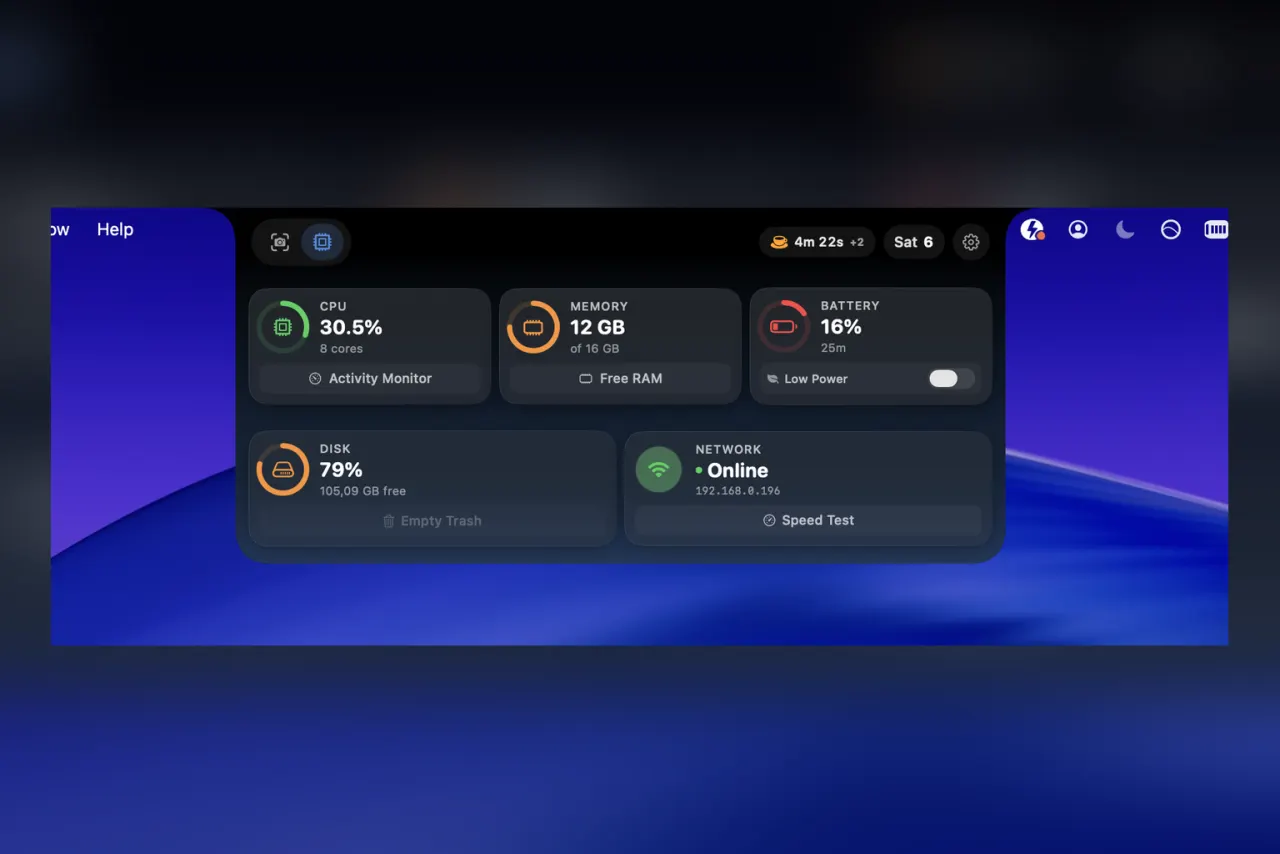
The best Mac notch app for most people is Boring Notch, which is free and open source. NotchNook is the most complete if you'll pay, NotchDrop is the minimal file shelf, Brow is the pick if you'd rather fold notch tools into an all-in-one launcher, and Top Notch is for the people who searched 'notch' because they want it gone.
The strip of screen either side of the MacBook notch used to sit empty. A wave of Mac notch apps now turns it into a contextual hub: a drag-and-drop shelf, now-playing controls, glanceable stats, all of it appearing when you reach for it and gone when you don't. We ran the notch apps worth installing through a few weeks of daily work and ranked them by what they actually add, not how clever the demo looks.
| App | What it does | Price | Best for |
|---|---|---|---|
| NotchNook | Shelf, now-playing, calendar, shortcuts | Paid | The complete notch hub |
| Boring Notch | Now-playing and media controls | Free, open source | Most people |
| NotchDrop | Drag-and-drop file shelf | Free, open source | Just the shelf |
| Brow | Notch tools inside an all-in-one launcher | Paid | One app instead of four |
| Top Notch | Hides the notch entirely | Free | If you'd rather it was gone |
How we picked
Four things mattered: whether the notch tools are genuinely useful or just decoration, how well the app stays out of the way until you want it, what it costs, and how easy the features are to find once it's installed. Price and openness broke the ties. We left out the half-finished demos and the apps that treat the notch as a billboard.
1. NotchNook, best overall
NotchNook is the most complete version of the idea, and the one most of the imitators are chasing. The notch becomes an AirDrop-style tray you drag files into, plus now-playing art, a calendar peek, and quick shortcuts, all tucked behind a hover so they cost no permanent screen space. It is paid, and it is the one to buy if you want the notch to do real work rather than one trick. The only knock is that it can try to do a little too much at once.
2. Boring Notch, best free
Boring Notch is open source and the easiest one to recommend to most people. It focuses on the job that actually justifies a notch app, now-playing: album art spills out of the notch with playback controls when you hover, and it gets out of the way the rest of the time. It does less than NotchNook on purpose, and a few rough edges remain, but it is free, honest about what it is, and the code is public. Start here before you pay for anything.
3. NotchDrop, just the shelf
If the only part you want is the drag-and-drop tray, NotchDrop does that and nothing else. It is a tiny open-source app that turns the notch into a temporary shelf for files you're moving between apps or Finder windows. No now-playing, no settings to get lost in, no price. The trade is obvious: one feature, done cleanly, for people who don't want a whole suite.
4. Brow, best if you want it bundled
Brow is not a dedicated notch app, and that is the honest way to read it. It is an all-in-one launcher with window tiling, a clipboard history and a system monitor, and the notch shelf and now-playing controls are one part of that bundle. If a notch shelf is all you want, the apps above do the pure version better and two of them are free. Brow earns its place only when the goal is fewer apps, running one binary that covers the notch plus four other jobs instead of stacking five menu-bar utilities. Right answer for some setups, overkill for a single feature.
5. Top Notch, if you'd rather hide it
Plenty of people search for notch apps because they want the notch to disappear, not to do more. Top Notch is the honest answer for them: it blacks out the menu bar so the notch visually vanishes into a solid bar across the top. It adds nothing to the notch, it just removes the eyesore, and it is free. Worth knowing about before you install something that fights the hardware you actually dislike.
The catch with every notch app
Discoverability. Nobody's first instinct is to hover the notch, so an app that hides everything up there can feel empty until someone shows you the trick. The good ones teach you they're alive with a small peek on launch or a subtle animation, without dragging you through a tutorial. If you install one and forget it exists by the next day, that's the app's fault, not yours, and it's a fair reason to uninstall.
The notch went from Apple's most-mocked design choice to prime real estate. The apps that win there make you forget it was ever a complaint.
Verdict
Boring Notch for most people, free and focused on now-playing. NotchNook if you want the full hub and will pay for it. NotchDrop if all you want is the shelf. Brow if you'd rather fold the notch tools into one app that also launches apps and tiles windows. Top Notch if the honest answer is that you want the notch gone.